A quantitative analysis plan template for Notion you can stick to
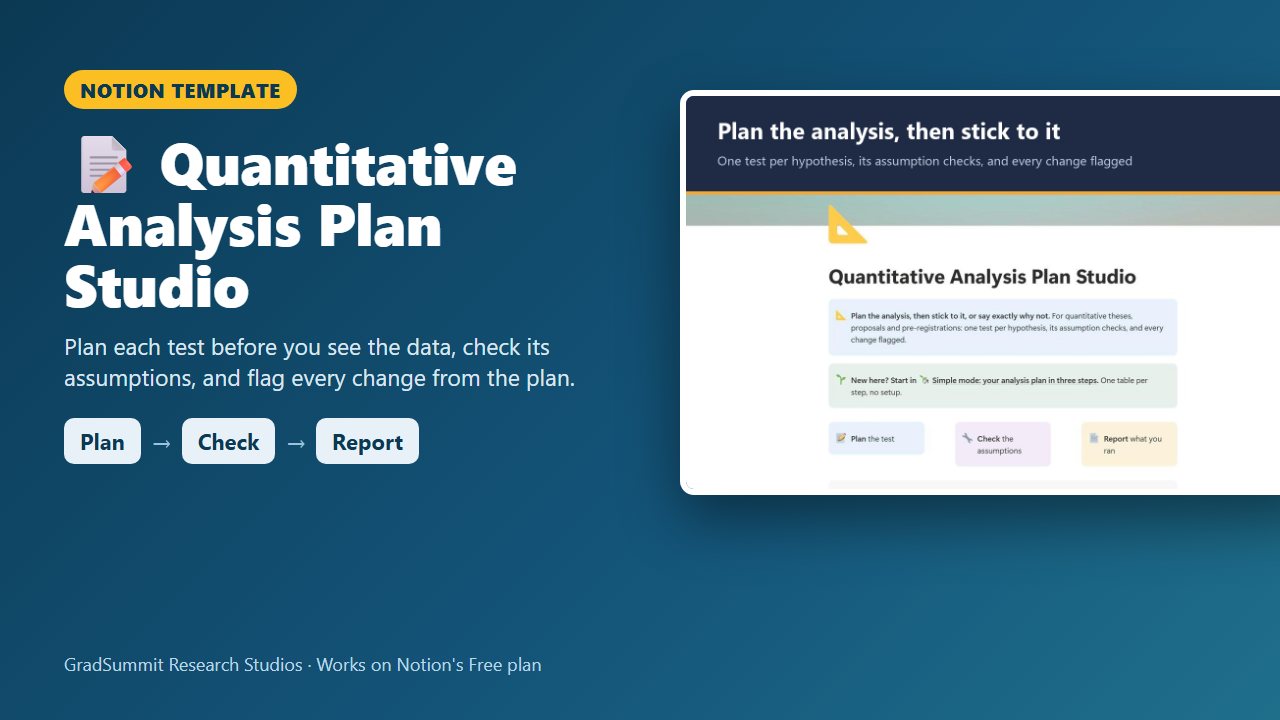
Tie every hypothesis to one planned test, record the assumption checks it relies on, then log the test you actually ran, with every change from the plan flagged and explained.
For master's and doctoral students running a quantitative or trial-based study, from the analysis plan in a proposal or pre-registration to the results chapter.
- Plan → Check → Report
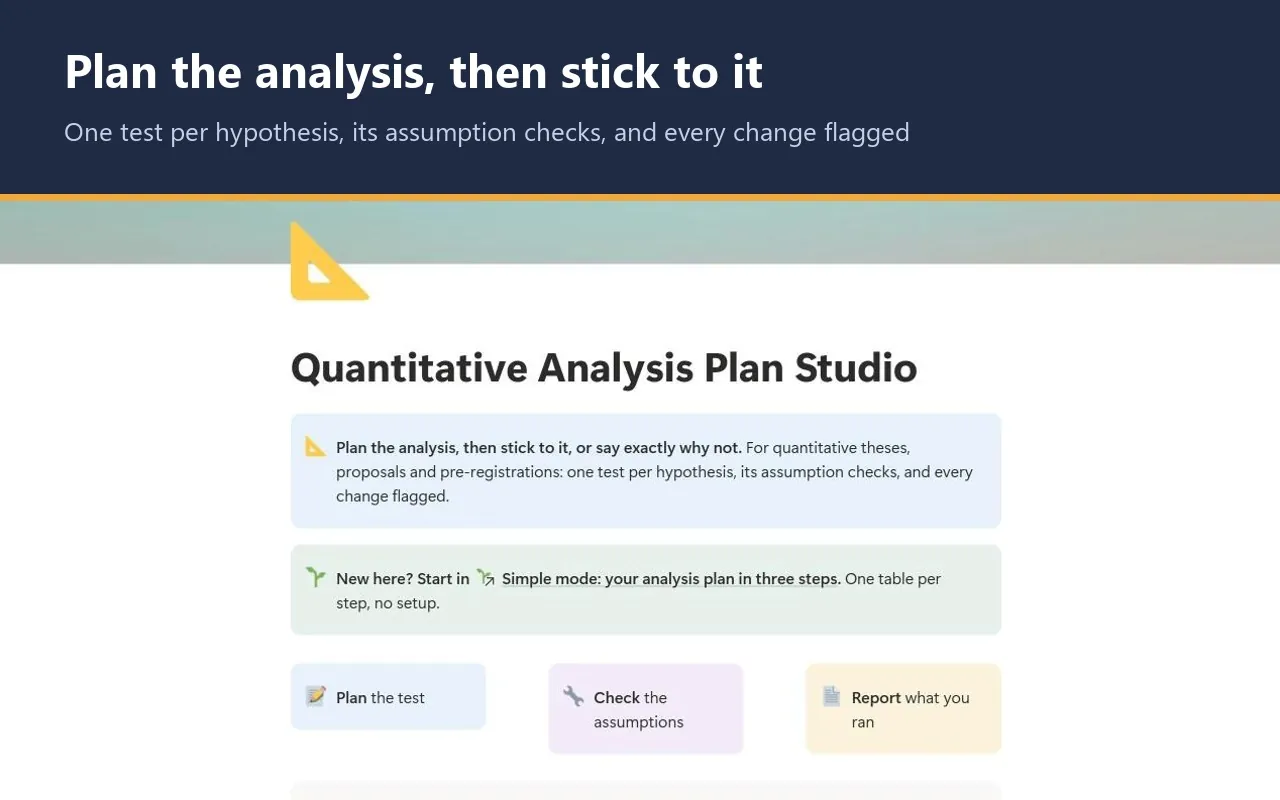
- Simple mode
- Works on Notion's Free plan
- Worked example
$15
Not yet available to buy. It is coming soon to Gumroad; this page will show a Buy button as soon as it is listed.
See inside the Quantitative Analysis Plan Studio
The problem it solves
Examiners ask three questions about a quantitative analysis. Did you plan it before you saw the data? Did you check the assumptions? Did you do what you planned? The third is the one students go quiet on.
The plan lives in a proposal or a pre-registration. Months later a variable turns out skewed, a test changes, an analysis gets added, and the results chapter no longer matches the plan. Changing a test is often right. Changing it without saying so is not, and adding hypotheses after the results are known has a name: HARKing (Kerr, 1998).
Assumption checks have the same problem. "I checked normality, I think" does not hold up in a viva. This studio keeps the plan, the checks and every change in one place, written down before anyone asks.
How it works: Plan → Check → Report
Plan
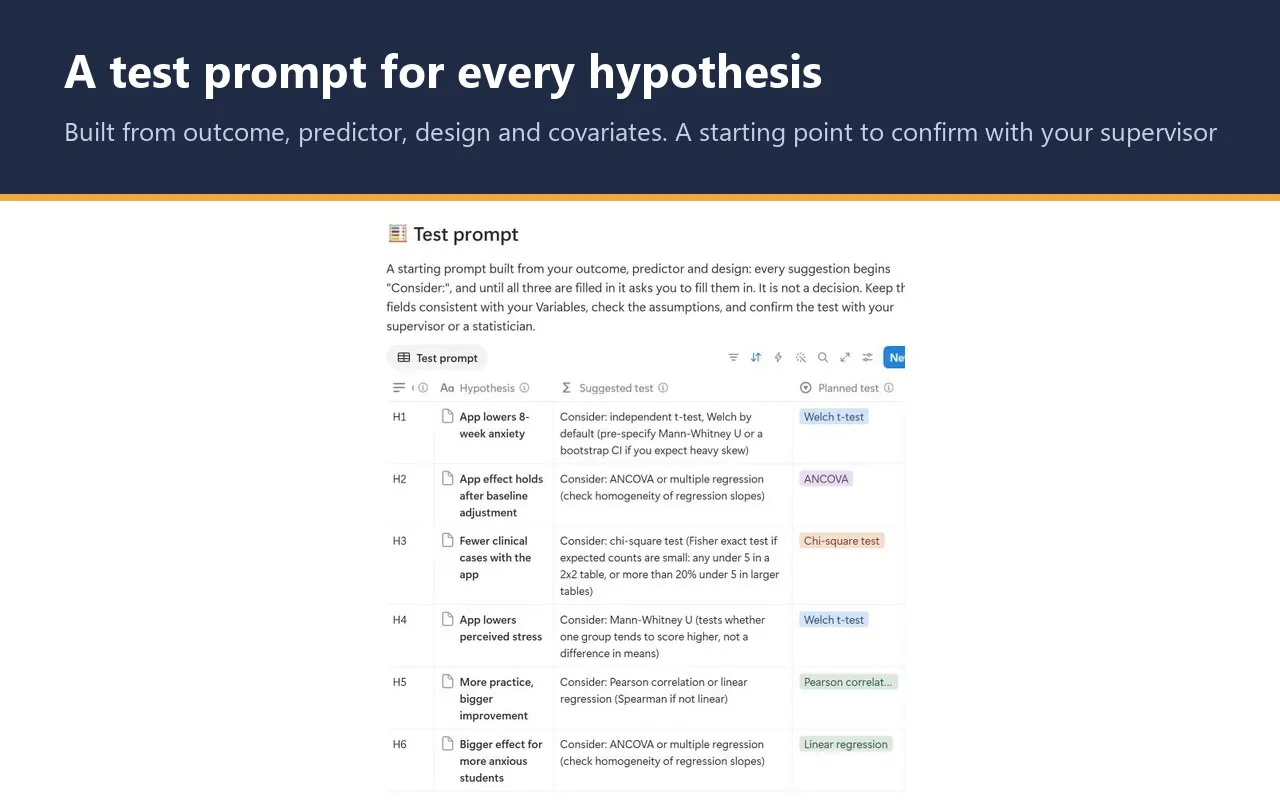
Describe each hypothesis by outcome type, predictor type, design and covariates. A test prompt suggests a starting point, always beginning "Consider:". You choose the planned test, and tick Pre-specified only if it was in your registered or approved plan.
Check
List the assumptions that test relies on, such as normality of residuals, homogeneity of variance or expected counts. Record how you checked each, the result, and the remedy for any that failed.
Report
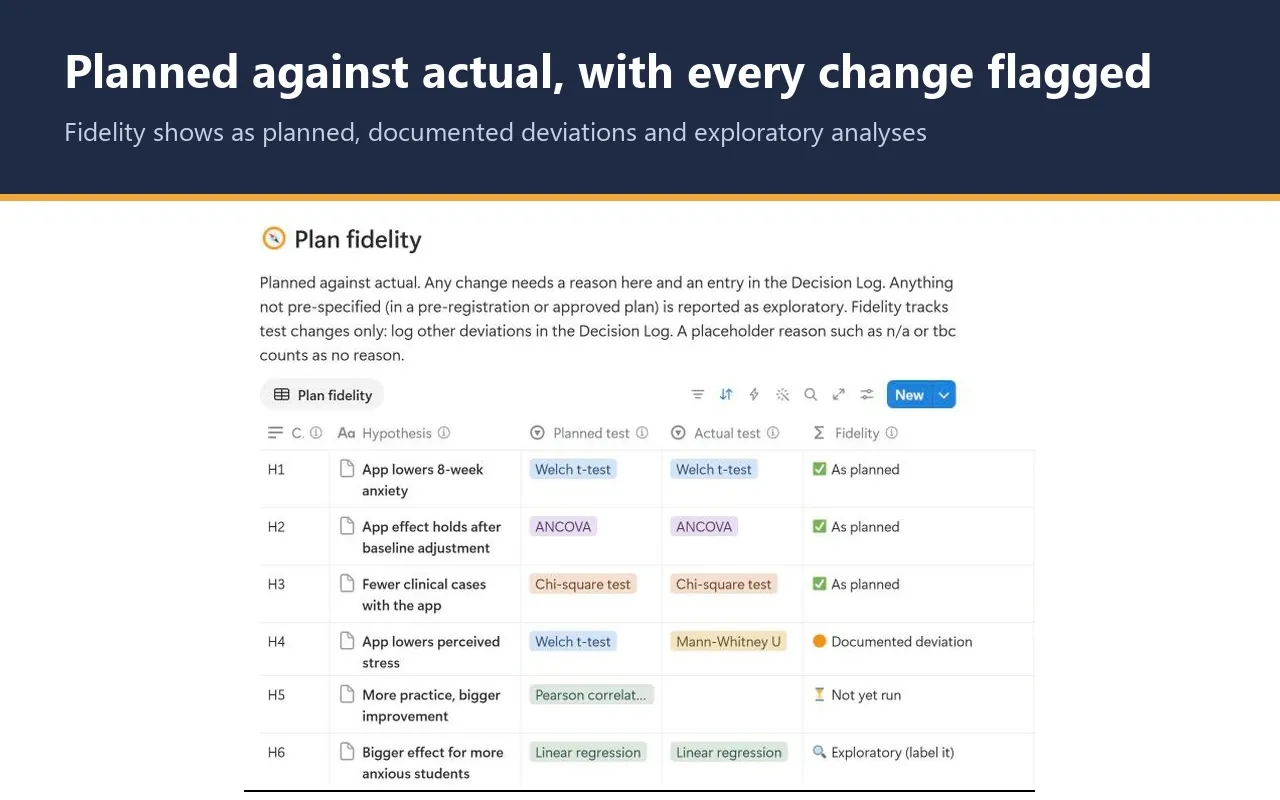
Record the test you actually ran and the result. If it differs from the plan, write the reason and add an entry to the Decision Log. Fidelity then shows whether you did what you planned.
What the studio checks for you
Each hypothesis and each assumption check carries a plain-language status, worked out by formulas from what you have entered. These are the labels you will see.
Fidelity, per hypothesis
- ⚪ Choose a planned test first: no planned test yet.
- 🔍 Exploratory (label it): not pre-specified, so it must be reported as exploratory.
- ⏳ Not yet run: no actual test recorded yet.
- ✅ As planned: the actual test matches the planned one.
- 🟠 Documented deviation: the test changed and a real reason is written.
- 🚩 Undocumented deviation: the test changed with no reason. A placeholder such as n/a or tbc counts as no reason.
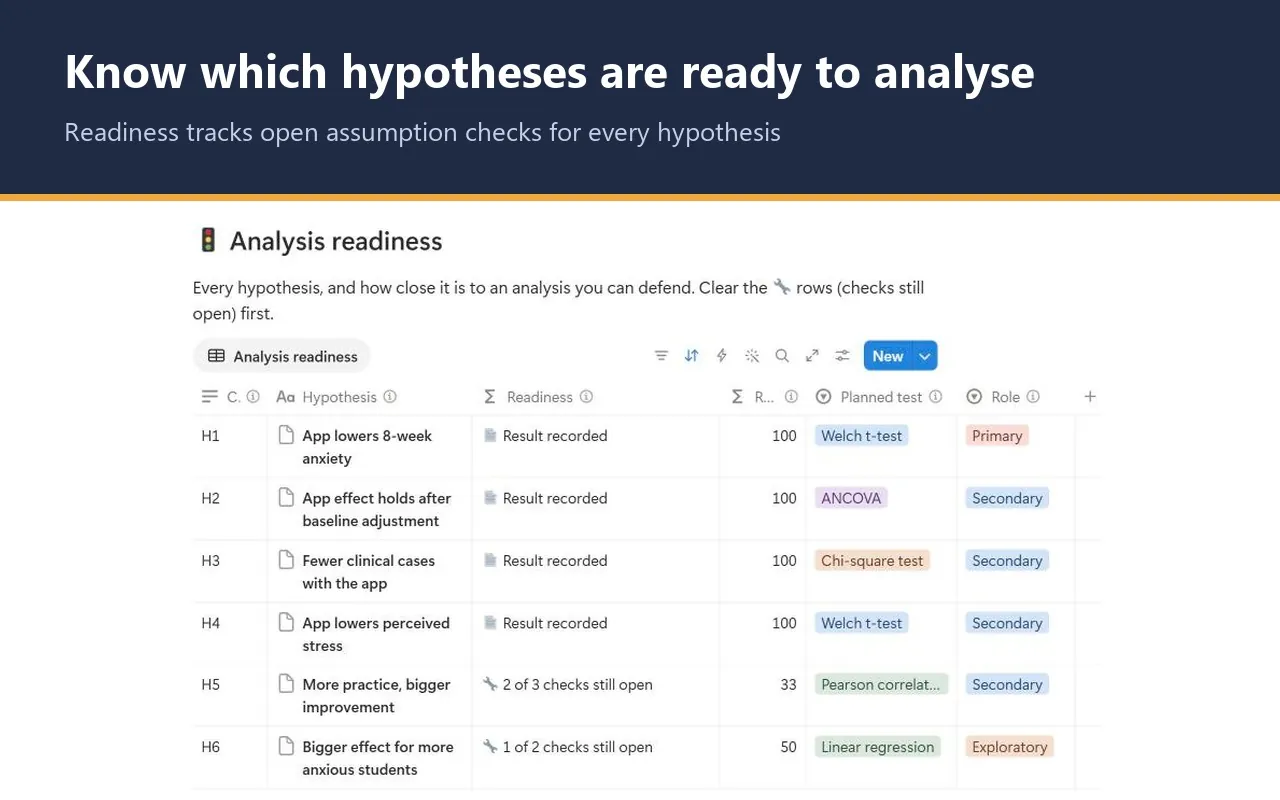
Readiness, per hypothesis
- 🟡 Add assumption checks: a test is planned but no checks are listed.
- 🔧 2 of 3 checks still open: some checks are pending or failed without a remedy.
- ✅ Ready to analyse: every listed check is resolved.
- 📄 Result recorded: the result is written in real words.
Status, per assumption check
- ⏳ Pending: run the check: the check is listed but not yet run.
- ✏️ Say how you checked it in How checked: Pass, but no method written.
- ✅ Pass: passed, with the method written down.
- 🔴 Failed: add a remedy, then tick Remedy applied: failed, with no remedy yet.
- 🛠️ Remedied: failed, with a written remedy applied.
✅ Ready to analyse means only that every check you listed is resolved, not that you listed the right ones. Fidelity tracks test changes only; changes to covariates, the population, an outcome definition or missing-data handling go in the Decision Log.
The worked example
Fictional study
The worked example is the fictional Glenwood Trial: a two-arm randomised trial of a mindfulness app against a waitlist control in graduate students, with anxiety (GAD-7) at 8 weeks as the primary outcome. It has 6 hypotheses, 18 assumption checks, 7 variables and 3 Decision Log entries. Three show ✅ As planned. H4 shows 🟠 Documented deviation: a Welch t-test became a Mann-Whitney U for a reason logged before unblinding. H5 is ⏳ Not yet run with 2 of 3 checks still open, one of them a failed outliers check. H6 is 🔍 Exploratory, added after the data were seen. Clearing the example takes a few minutes.
Method and sources
The studio draws on Field (2018) for matching the test to the outcome, predictor and design and for assumptions by test; Gamble et al. (2017) for what a statistical analysis plan should contain; Nosek et al. (2018) and Kerr (1998) on pre-specifying and HARKing; Simmons et al. (2011) on undisclosed flexibility; and Delacre et al. (2017) on using Welch's t-test by default.
The method page sets out confirmatory against exploratory analysis, the usual assumption checks for each test, and what to do when one fails. Plan, Check, Report is GradSummit's shorthand, not a method term.
What the studio does not do
- It is a planning aid, not statistical advice. Confirm your plan with your supervisor or a statistician.
- The test prompt cannot see your data, your sample size or your field's conventions. It never fills in your planned test for you.
- It does not run analyses. You run them in your own software and record the results here.
- It holds summary results only. Keep participant-level data in your institution's approved storage, not in Notion.
What you get
- Once it is on sale: a one-page PDF with your private link, sent by Gumroad straight after checkout. Click it, then Duplicate, and the studio is in your own Notion workspace, yours to keep.
- Simple mode: three steps, one small table each, with a plain instruction above every table. You can start in Notion for the first time today.
- Readiness, fidelity, open checks, a test prompt, Variables with level of measurement, and a dated Decision Log.
- Export views that turn your analysis plan, assumption checks and decision log into clean CSV tables for an appendix.
- A Start here page, a method guide with full references, and a worked fictional example you can clear in a few minutes.
- Works on Notion's Free plan. No charts, no paid features and no Notion AI needed.
Questions
Will it tell me which statistical test to use?
It gives a starting prompt, not a decision. From your outcome type, predictor type, design and covariates it suggests a test, always beginning "Consider:", based on Field (2018). You choose the planned test. For a fuller walk-through of the choice, use the free statistical test selector.
Is it for pre-registration or for the thesis itself?
Both. Write the plan before data collection for a proposal, ethics application or pre-registration, then use the same rows at analysis time to record the checks, the tests you ran and any change. The Pre-specified box is what separates confirmatory from exploratory analyses.
Will I get updates?
The link in your PDF points to the published studio, so if it is updated you can duplicate the current version again. Your own copy never changes underneath you, which matters halfway through a thesis.
Does it work on Notion's Free plan?
Yes. The studio uses ordinary databases, relations, rollups and formulas. It needs no charts, no paid Notion features and no Notion AI, so the Free plan is enough.
When can I get it, and how?
It is not on sale yet. It is coming soon to Gumroad at $15, and this page and the Notion templates page will show a Buy button as soon as it is. After checkout you will get a one-page PDF with your private link. Open the link, click Duplicate, and the studio is copied into your own Notion workspace.
What if the link does not work or something is wrong?
Digital products cannot be returned once delivered, but if the link does not work or something is wrong with the studio, email rafiq@gradsummit.com and we will fix it or refund you.
Can my research group or class use it?
Each purchase is for one person. For a class or research group, email rafiq@gradsummit.com about a group licence.
Related guides and templates
Other research studios
Quantitative Analysis Plan Studio
Plan → Check → Report, with a worked example and a method guide. Coming soon, $15 one-time.
Quantitative Analysis Plan Studio by Rafiq Muhammad, MD, MIHMEP, PhD (GradSummit). The example study and all its data are fictional and created for teaching.
Notion is a trademark of Notion Labs, Inc. GradSummit is not affiliated with or endorsed by Notion.