A thesis tracker for Notion that catches a slip early
Plan your milestones backward from the deadline, track each one against a frozen planned date, and check every week whether the whole plan still fits the time you really have.
For master's and doctoral students between the approved proposal and the full draft, who want to notice a slip while there is still time to fix it.
- Plan → Track → Check
- Simple mode
- Works on Notion's Free plan
- Worked example
$12
One-time price. Checkout on Gumroad; an instant PDF with your link to duplicate the studio.
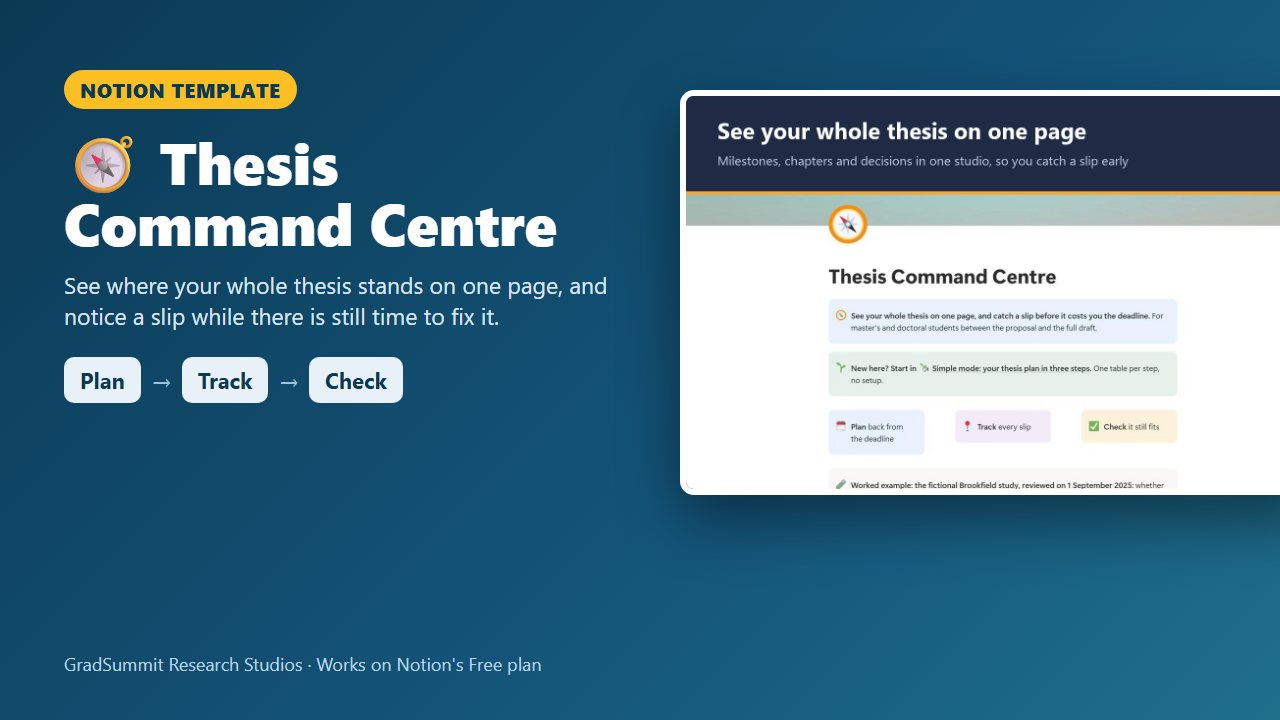
See inside the Thesis Command Centre
The problem it solves
Your deadline did not move, but everything else did. Ethics took six weeks longer than planned. Recruitment is still open. The results chapter you meant to start in January has not begun. Each slip looks small on its own, and most students only add them up when the deadline is close.
The usual tools do not help much. A Gantt chart drawn in the first year shows the plan, not where you are now. A to-do list shows tasks, not whether the deadline still holds. And people are reliably optimistic about how long their own work will take, even when they know their past projects ran late. Buehler, Griffin & Ross (1994) called this the planning fallacy.
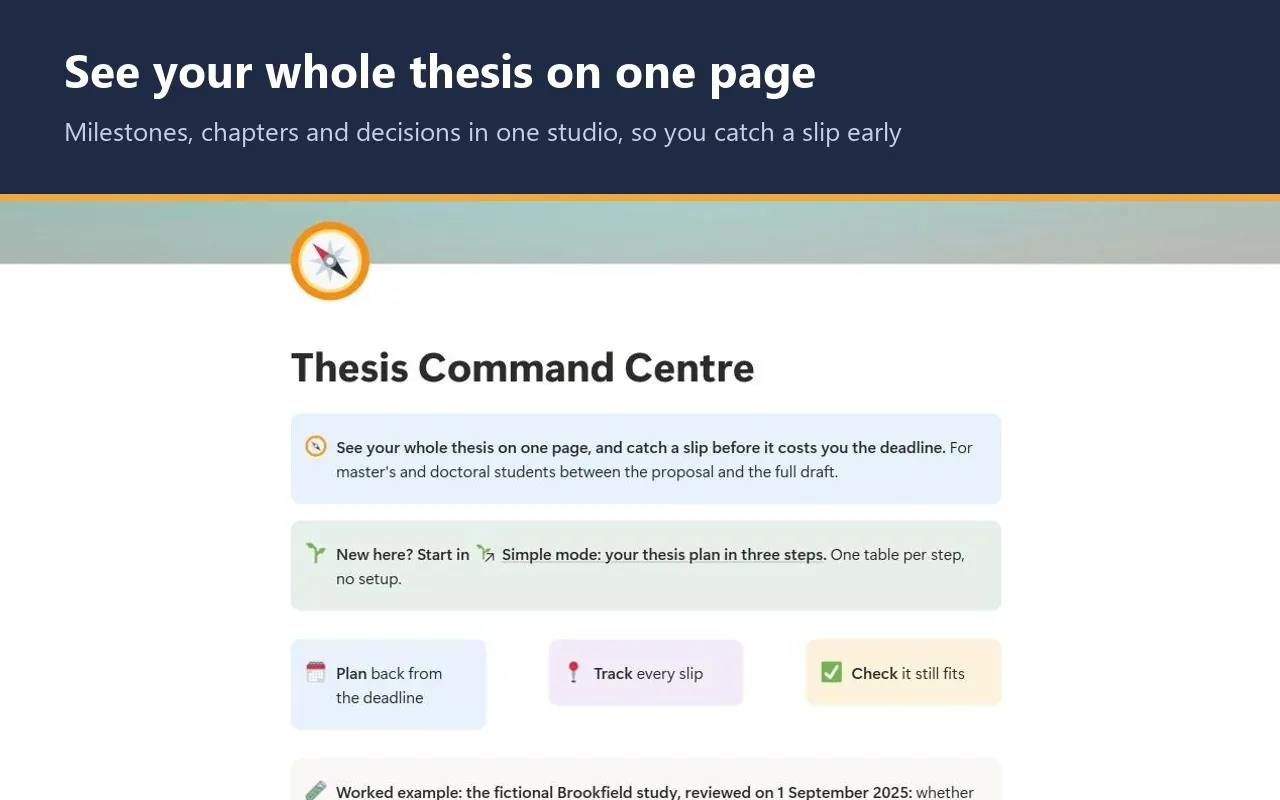
What a supervisor needs to see is simple: what you planned, what you now forecast, which delays sit on the critical path, and whether the hours you really have cover the work left. This studio puts all of that on one page.
How it works: Plan → Track → Check
Plan
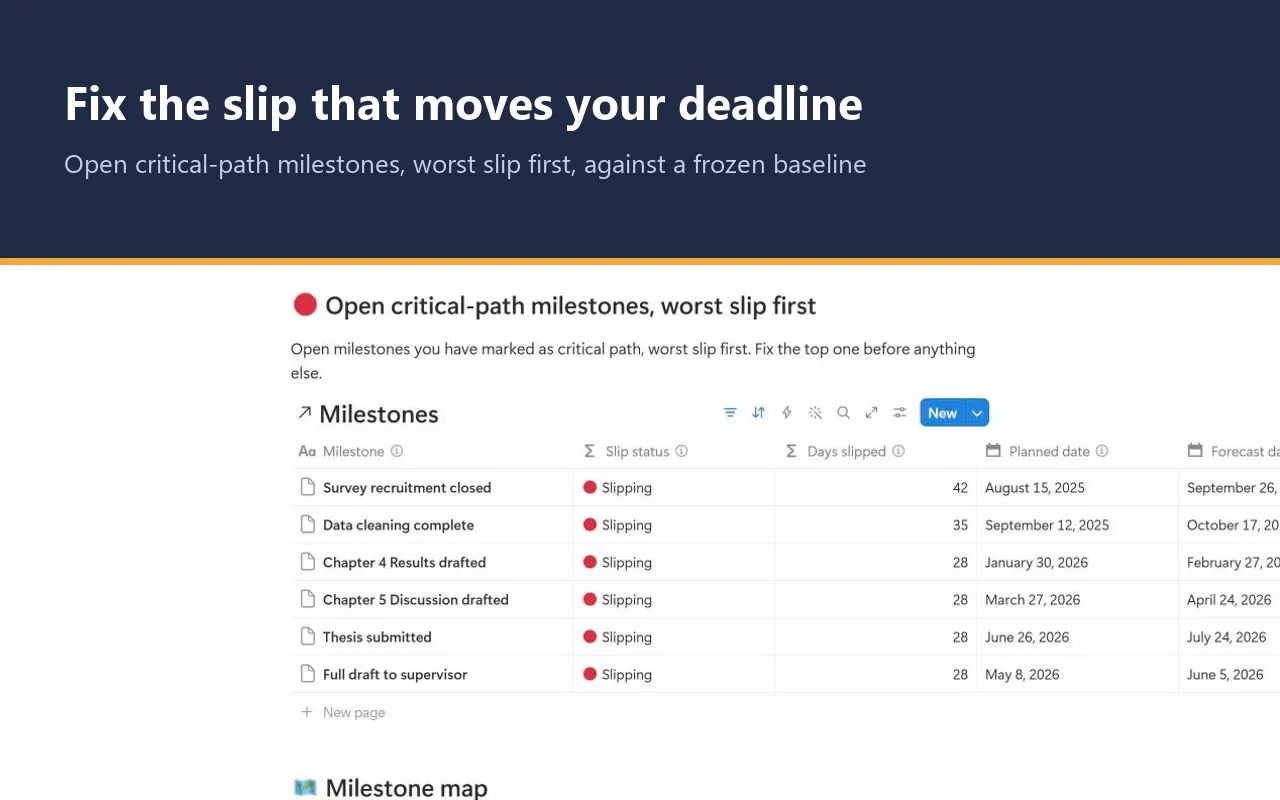
List your milestones backward from the submission deadline, each with a planned date. The planned date is your baseline: once agreed, you leave it alone. Mark the milestones on the critical path, the ones that move the deadline if they slip.
Track
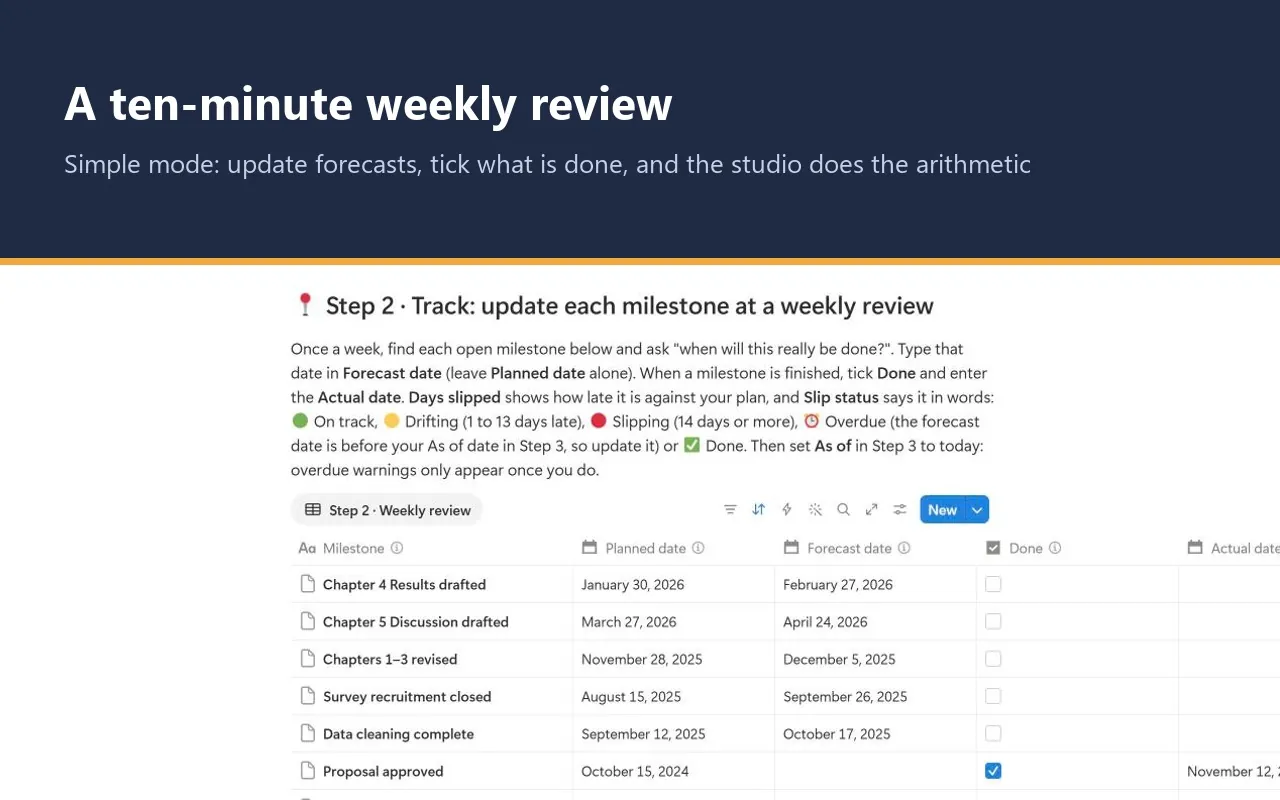
At a ten-minute weekly review, ask of each open milestone "when will this really be done?" and type that as the forecast date. Tick Done and add the actual date when it is finished. Each milestone then says in words how late it is.
Check
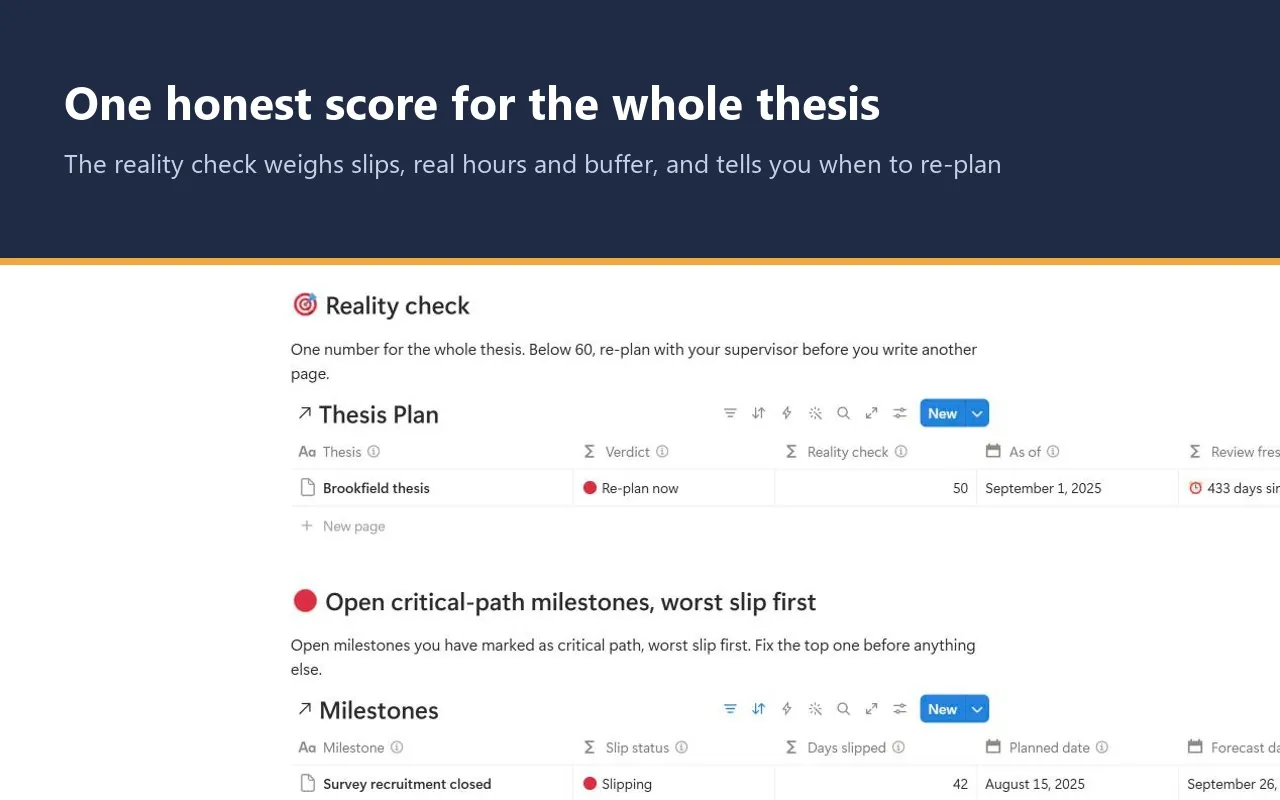
Enter your deadline, the date of your review, your real weekly research hours and your estimate of the hours of work left. A reality check score and verdict tell you whether the plan is realistic, tight or needs re-planning.
What the studio checks for you
Each milestone and your thesis plan carry a plain-language status, worked out by formulas from your dates and hours. These are the main labels.
Slip status, per milestone
- 🟢 On track: the forecast is on or before the planned date.
- 🟡 Drifting: 1 to 13 days late against the plan.
- 🔴 Slipping: 14 days or more late against the plan.
- ⏰ Overdue: update the forecast: the forecast date is already before your review date, so it needs updating.
- ✅ Done on time / ✅ Done late: finished, judged by the actual date against the plan.
- ⚪ Add a planned date: the milestone has no baseline yet.
Verdict, for the whole thesis
- 🟢 Realistic: a reality check score of 80 or more.
- 🟡 Tight: 60 to 79.
- 🔴 Re-plan now: below 60: talk to your supervisor before you write another page.
- 🔴 Past deadline: your review date is after the submission deadline.
- ⚪ Tick exactly one Submission milestone: the score needs to know which milestone is the submission.
The score starts at 100 and loses points, each capped, for the worst open critical-path slip, the number of milestones 14 or more days late, work left beyond the hours you have, and a thin buffer before the deadline. The weights and cut-offs are a GradSummit design choice, not a validated instrument, and the method page says so. The studio does not calculate the critical path for you: you mark it.
The worked example
Fictional study
The worked example is the fictional Brookfield thesis, reviewed on 1 September 2025, with a submission deadline of 31 July 2026. It has 12 milestones, 6 chapters and 3 Decision Log entries. Survey recruitment has slipped 42 days, 7 milestones are 14 or more days late, the 780 hours of work left exceed the 714 hours available, and the submission forecast leaves a buffer of 7 days. The score is 50, 🔴 Re-plan now. Start here then shows a lesson: cutting the qualitative follow-up interviews brings the work left to 640 hours and the score to 59, still 🔴. A scope cut helps, but it does not erase a critical-path slip. Clearing the example takes a few minutes.
Method and sources
The method page, Plan backward, check reality, covers backward planning from the deadline; the planning fallacy and why you should forecast from your past slips rather than your hopes (Buehler, Griffin & Ross, 1994; Kahneman & Tversky, 1979); the critical path (Kelley & Walker, 1959); and buffers and realistic forecasting (Flyvbjerg, 2006).
Slip is measured as forecast against plan, not against today's date, so the numbers stay stable between reviews and your review date controls what the studio shows. Plan, Track, Check is GradSummit's shorthand, not a published method.
What the studio does not do
- The score is a prompt for a conversation with your supervisor, not a prediction of when you will finish.
- It does not calculate the critical path. You decide which milestones are on it.
- It is not a Gantt chart. The milestone map is a table sorted by planned date, so it works on the Free plan.
- Deadlines, extensions and submission rules are set by your institution. Always follow its regulations.
What you get
- A one-page PDF with your private link, sent by Gumroad straight after checkout. Click it, then Duplicate, and the studio is in your own Notion workspace, yours to keep.
- Simple mode: three steps, one small table each, with a plain instruction above every table. You can start in Notion for the first time today.
- Open critical-path milestones worst slip first, a milestone map, chapters with words against target and their worst linked slip, and a Decision Log for every re-plan and scope change.
- Export views that turn your milestones, chapters and decisions into clean CSV tables for an appendix or a supervision meeting.
- A Start here page, a method guide with full references, and a worked fictional example you can clear in a few minutes.
- Works on Notion's Free plan. No charts, no paid features and no Notion AI needed.
Questions
How is this different from the free dissertation timeline planner?
The free dissertation timeline planner helps you draw the plan. This studio is for the months after: it keeps the planned dates frozen, records your forecasts at each weekly review, and shows which slips threaten the deadline. Many students use the planner first, then move the milestones in here.
What if my plan is already behind?
That is what it is for. Enter your real forecasts and your real weekly hours, read the verdict, and log each re-plan or scope change in the Decision Log with its reason and the alternatives you rejected. The original plan stays visible, so you and your supervisor can see what changed and why.
Will I get updates?
The link in your PDF points to the published studio, so if it is updated you can duplicate the current version again. Your own copy never changes underneath you, which matters halfway through a thesis.
Does it work on Notion's Free plan?
Yes. The studio uses ordinary databases, relations, rollups and formulas. It needs no charts, no paid Notion features and no Notion AI, so the Free plan is enough.
How do I get the studio after I pay?
Checkout is on Gumroad. Straight after you pay $12, you get a one-page PDF with your private link. Open the link, click Duplicate, and the studio is copied into your own Notion workspace. It is yours to keep.
What if the link does not work or something is wrong?
Digital products cannot be returned once delivered, but if the link does not work or something is wrong with the studio, email rafiq@gradsummit.com and we will fix it or refund you.
Can my research group or class use it?
Each purchase is for one person. For a class or research group, email rafiq@gradsummit.com about a group licence.
Related guides and templates
Other research studios
Thesis Command Centre
Plan → Track → Check, with a worked example and a method guide. $12, one-time.
Thesis Command Centre by Rafiq Muhammad, MD, MIHMEP, PhD (GradSummit). The example study and all its data are fictional and created for teaching.
Notion is a trademark of Notion Labs, Inc. GradSummit is not affiliated with or endorsed by Notion.