A thesis writing template for Notion that shows your real pace
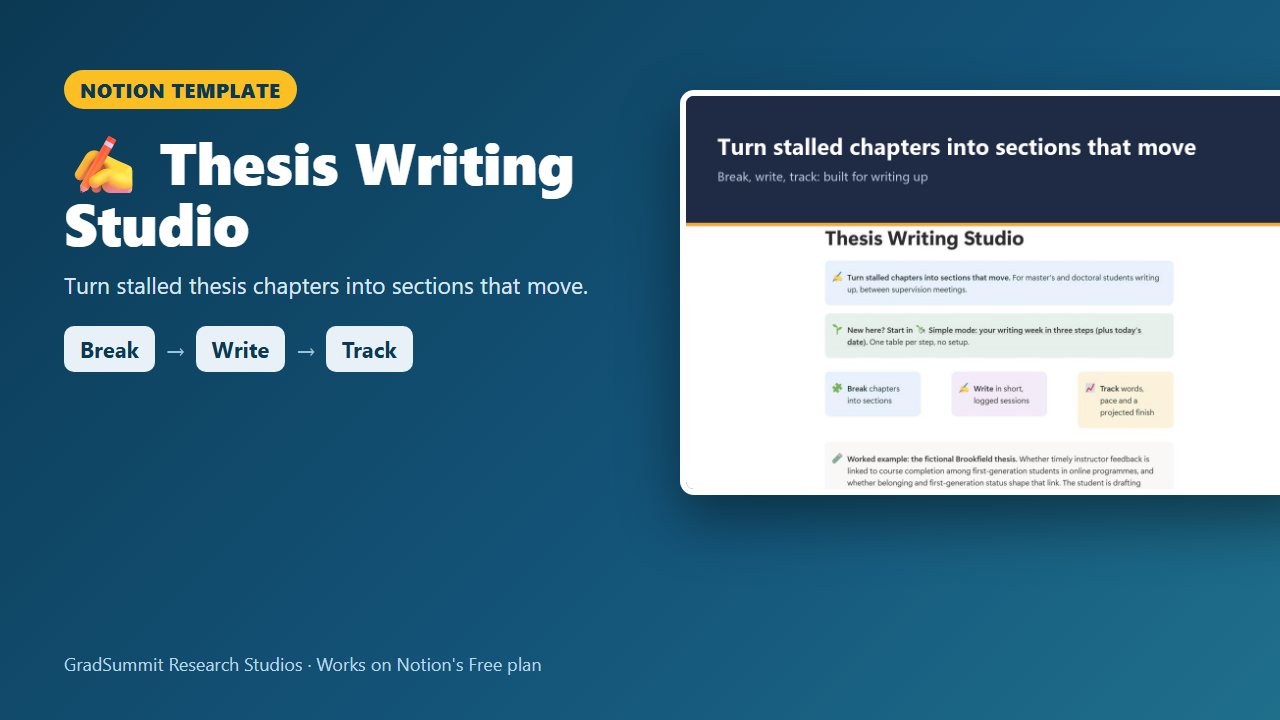
Break each chapter into small sections, log each writing session, and see words against target, your real weekly pace, the sections that have gone quiet and a projected finish for the words.
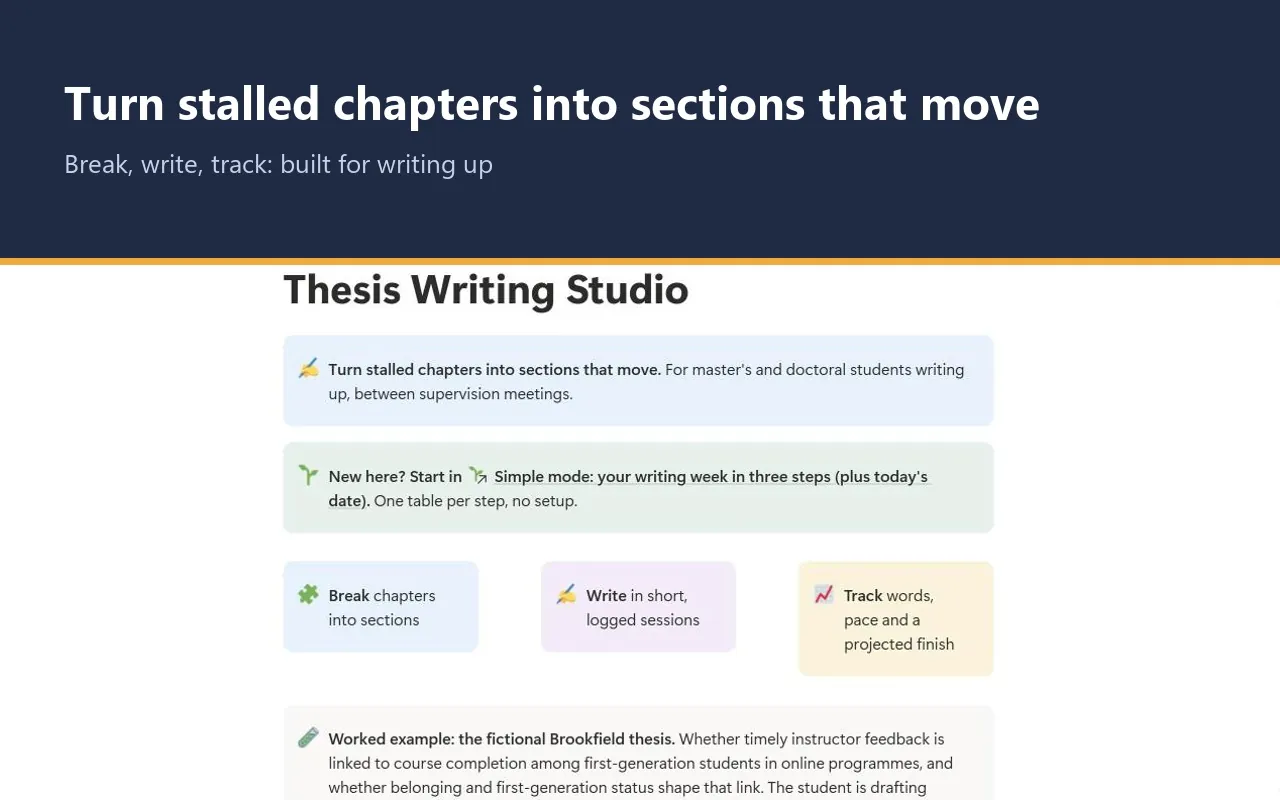
For master's and doctoral students in the writing-up phase, with chapters to draft, revise and send to a supervisor.
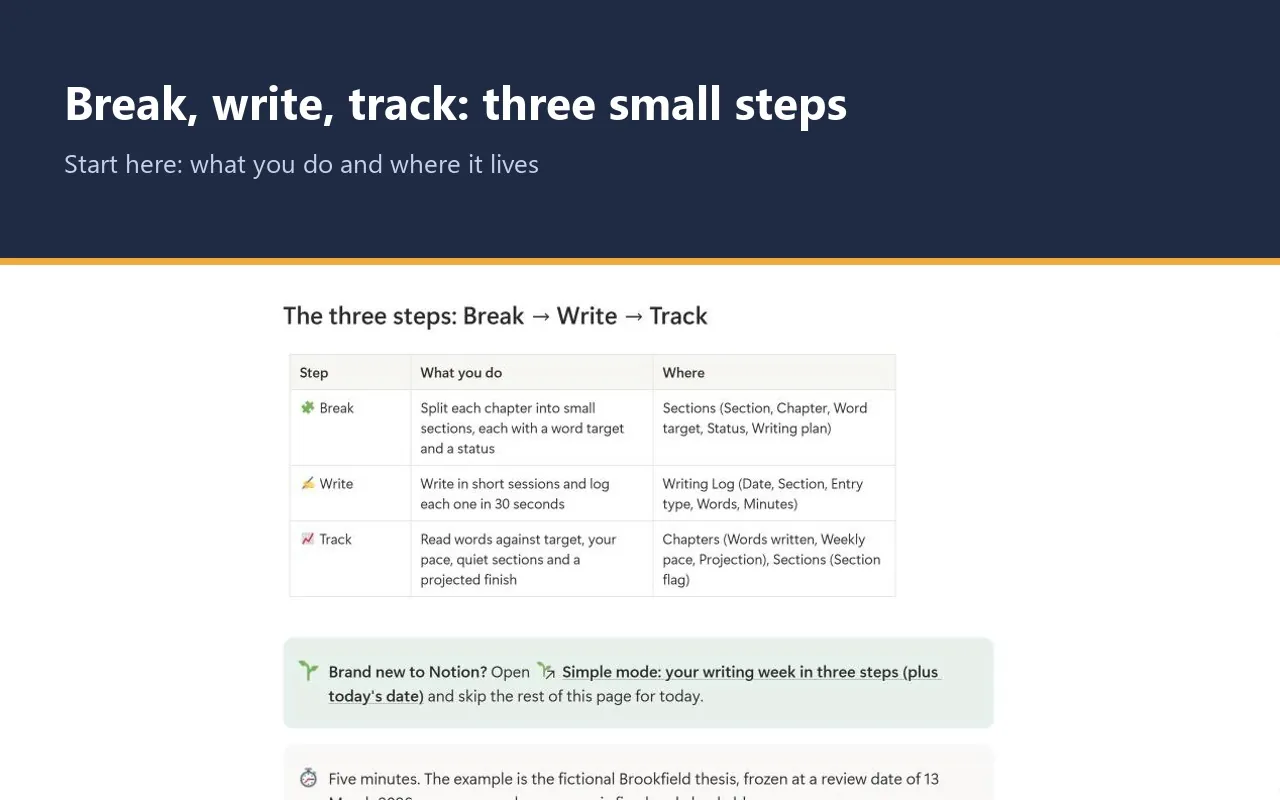
- Break → Write → Track
- Simple mode
- Works on Notion's Free plan
- Worked example
$12
One-time price. Checkout on Gumroad; an instant PDF with your link to duplicate the studio.
See inside the Thesis Writing Studio
The problem it solves
"I wrote all day and I don't know if I got anywhere." Writing up is the longest stretch of a thesis, and the hardest to see. A chapter sits at "in progress" for months, and you cannot tell whether you are on pace or quietly stuck.
Boice (1989) studied procrastination in scholarly writing among new faculty and described two central parts of it: bingeing, meaning rare, long, exhausting sessions, and busyness. Helping new faculty find brief, daily writing sessions was effective. But you only know you are writing regularly if you write it down.
The second problem is estimation. People routinely underestimate how long tasks will take, even when they know past tasks overran (Buehler, Griffin & Ross, 1994). A finish date you guess is usually too early; a finish date projected from your own logged pace is more honest.
This studio turns logged sessions into numbers you can trust and a next step you can take.
How it works: Break → Write → Track
Break
Split each chapter into small sections, each with a word target, a status from Outline to Final and a concrete next step.
Write
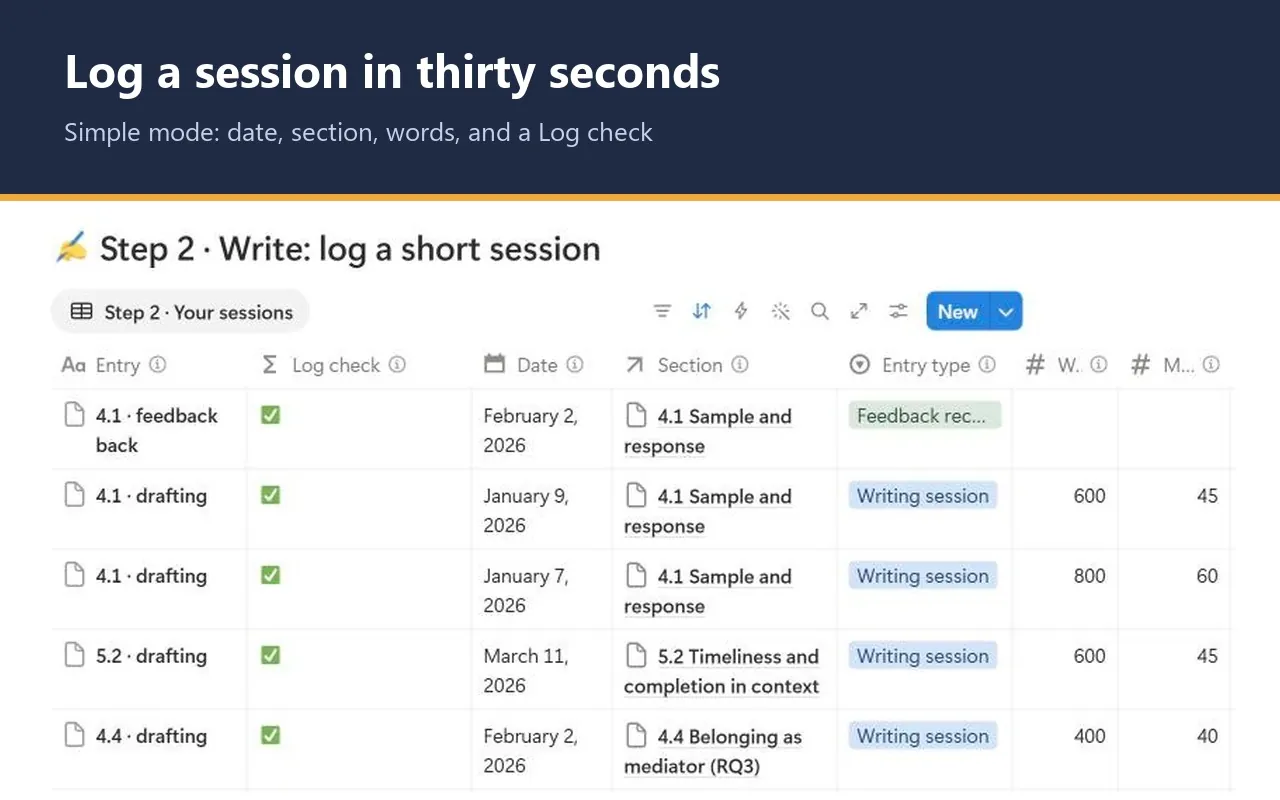
Write in short sessions and log each one in about thirty seconds: date, section, words and minutes. Mark when a section goes to your supervisor and when it comes back.
Track
See words against target, your weekly pace, which sections have gone quiet and when the words for each chapter will be done at your pace so far.
What the studio checks for you
Every section and every chapter carries a plain-language status, calculated as of a review date you set. These are the labels you will see.
Section flag, per section
- ✍️ Moving: drafting or revising, with a recent log entry.
- 🧊 Stuck · 16 d quiet: drafting or revising, with no entry for 14 days or more.
- ⏳ With supervisor · 11 d: waiting on feedback. This never counts as stuck.
- 📝 Outline / ✅ Final: not started yet, or finished.
- ⚪ No sessions logged yet: or another ⚪ prompt saying what to set next, such as the review date.
- ⚠️ Fix the ⚠️ log entry first: a linked log entry has a problem, such as no date or two sections.
Projection, per chapter
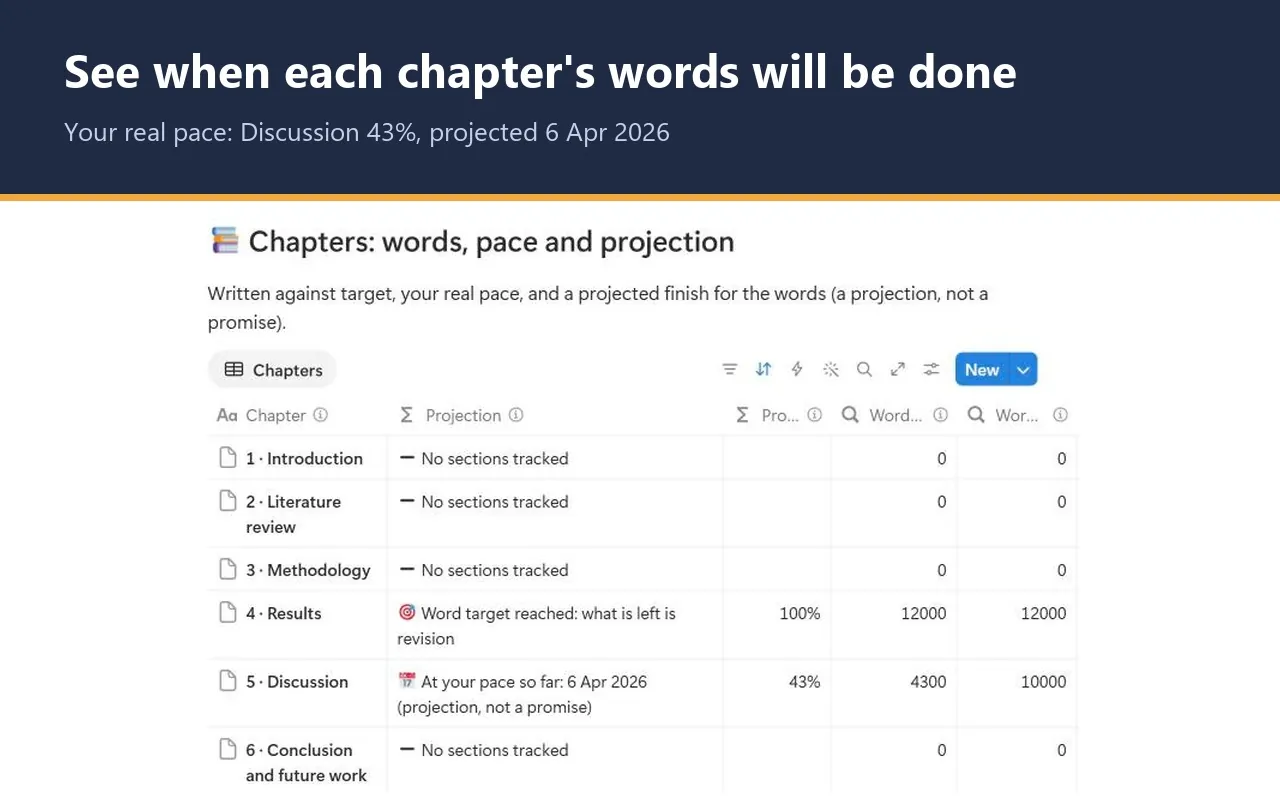
- 📅 At your pace so far: 6 Apr 2026 (projection, not a promise): when the remaining words will be written if you keep your pace since your first entry.
- 🎯 Word target reached: what is left is revision: the words are in.
- ➖ Set a word target on every section: the projection needs every target.
- ⚠️ Review date is behind your log: move it forward: a log entry is dated after your review date.
The 14-day stuck threshold and the 7-day minimum span used for weekly pace are GradSummit conventions, not research findings, and you can change the threshold. Nothing uses today's date: every number is worked out as of the review date on your writing plan, so you control when they move.
The worked example
Fictional study
The worked example is the fictional Brookfield thesis, on whether timely instructor feedback is linked to course completion among first-generation students in online programmes. It has 10 sections across the Results and Discussion chapters and 34 log entries. You can see every flag: one section Final, three Moving, two With supervisor, two Stuck and two still in Outline. The Results chapter has reached its word target; the Discussion, at 4,300 of 10,000 words, projects 6 Apr 2026 at its current pace. Clearing the example takes a few minutes.
Method and sources
The studio draws on Boice (1989, 1990) for brief, regular writing sessions, Murray (2017) for setting writing goals and breaking a thesis into sections, and Buehler, Griffin & Ross (1994) on the planning fallacy, which is why every projection says it is not a promise.
A method page shows how each number is worked out. Weekly pace is words written times 7, divided by the days since your first entry. Days to finish is remaining words times those days, divided by words written. Because it is an average since your first entry, it reacts slowly after a break.
What the studio does not do
- The projection covers words on the page only. It does not include supervisor turnaround, revision or examination.
- It does not guarantee a finish date or a pass.
- It does not track milestones, your submission deadline or what your supervisor's feedback says.
- It counts the words you log. It does not read your document.
What you get
- A one-page PDF with your private link, sent by Gumroad straight after checkout. Click it, then Duplicate, and the studio is in your own Notion workspace, yours to keep.
- Simple mode: set today's date, then three steps with one small table each and a plain instruction above every table. You can start in Notion for the first time today.
- A section pipeline board from Outline to Final, a needs-attention view, chapter numbers with words per hour, and feedback cycles for each section.
- Export views that turn your sections, log and chapters into clean CSV tables.
- A Start here page, a method guide with full references, and a worked fictional example you can clear in a few minutes.
- Works on Notion's Free plan. No charts, no paid features and no Notion AI needed.
Questions
How is the projected finish worked out?
From your own log. The studio takes the words you have written since your first entry and the days that span, works out your pace, and applies it to the words still to write. It covers words only, and it always says it is a projection, not a promise.
Is it the same as the Thesis Command Centre?
No. The Thesis Command Centre plans milestones and checks whether the whole thesis is on time. This studio is only for the writing-up phase: sections, sessions and pace. You can use the two side by side.
Will I get updates?
The link in your PDF points to the published studio, so if it is updated you can duplicate the current version again. Your own copy never changes underneath you, which matters halfway through a thesis.
Does it work on Notion's Free plan?
Yes. The studio uses ordinary databases, relations, rollups and formulas. It needs no charts, no paid Notion features and no Notion AI, so the Free plan is enough.
How do I get the studio after I pay?
Checkout is on Gumroad. Straight after you pay $12, you get a one-page PDF with your private link. Open the link, click Duplicate, and the studio is copied into your own Notion workspace. It is yours to keep.
What if the link does not work or something is wrong?
Digital products cannot be returned once delivered, but if the link does not work or something is wrong with the studio, email rafiq@gradsummit.com and we will fix it or refund you.
Can my research group or class use it?
Each purchase is for one person. For a class or research group, email rafiq@gradsummit.com about a group licence.
Related guides and templates
Other research studios
Thesis Writing Studio
Break → Write → Track, with a worked example and a method guide. $12, one-time.
Thesis Writing Studio by Rafiq Muhammad, MD, MIHMEP, PhD (GradSummit). The example study and all its data are fictional and created for teaching.
Notion is a trademark of Notion Labs, Inc. GradSummit is not affiliated with or endorsed by Notion.